

A Step-by-Step Guide to Build An Augmented Reality App: Development and Tools & Technologies

Augmented Reality (AR) is a thriving technology transforming the world of software applications. It integrates digital visual content into the user’s real-world environment. Whether it is online gaming or online shopping and even development and learning, augmented reality app development redefines the user experience.

With the evolving technologies available in the digital world, AR is going to play a major role. However, augmented reality setup bridges computer-generated perceptual information to the real world. This allows users to experience comprehensive insights into the potential of AR while using the app.

In this article, we’ll dive into understanding the augmented reality app development process, tools and technologies, and its challenges.

How to Create An AR App? Let’s Explore the Development Process

The market zone for augmented reality is growing dramatically. Check out the step-by-step process of how to make an AR app!

1. Conceptualization and Planning

Firstly, you have to be clear with your concept to build an augmented reality app. Before diving into development, define the objectives of your AR app. Be clear with the experience you’re seeking to provide or the problems you’re trying to solve.

Secondly, conduct a study to identify your target audience and their preferences. Create an AR app that meets the desires of your users and offers them the best experience ever.

Thirdly, list the functionalities and features you ought to provide via augmented reality app development. Platform selections play a vital role here! Whether your AR app will support iOS, Android, or cross-platform? The decision you make will assist you in determining the targeted audience.

Lastly, set your timelines and budget to create AR app, including development expenses, advertising costs, and potential post-launch updates.

2. Design and UI Considerations

The design and user interface (UI) take the centre after your concept is crystallised. Design & UI are more than simply aesthetics; it’s also about creating a user experience that’s exciting and engaging. The following considerations are essential:

  • Storyboarding: Map out the user’s journey to ensure a seamless experience and engagement on how users will interact with your AR app.
  • UI/UX design: Attest the elements that will integrate with the real world. Also, check the navigation of users throughout the app.
  • 3D modelling and animation: Hire a 3D art services and animation company to bring your AR content to life with the help of skilled designers.
  • Responsiveness: After the successful augmented reality app development, it is crucial to check resolutions, screen sizes, and responsiveness.

3. Development and Coding

Turn your conceptualization into a fully functional AR app. By choosing the right development tools or augmented reality app development service provider, your dream will come true. The process of development is completed in the following ways:

  • AR development frameworks: Ensure to opt for AR development frameworks that comply with your platform and project needs. A few popular choices include platform options like Unity or Unreal. 

Read more about Unity vs Unreal: What to Choose for Your Game?

  • Integration of AR elements: This step involves integrating and rendering coding to ensure that the AR app responds perfectly to real-world environments.
  • Backend development: This includes offering cloud-based services, data handling, server functionality, content delivery, creation of essential cookies, and much more.
  • Optimization: Optimise the efficiency and results of your AR app by checking smooth rendering on several devices, maximising 3D assets, and reducing overall loading time.
  • Iterative testing: To get a bug-free and robust AR app it requires frequent testing. However, iterative testing ensures that issues are promptly identified and resolved.

4. Testing and Quality Assurance

After the successful creation of the augmented reality app development following tests are performed to polish the delivery of the AR app.

  • Functional testing
  • Compatibility testing
  • Performance testing
  • User Acceptance Testing (UAT)
  • Bug fixes and optimization

Do note that to build augmented reality apps successfully, thorough testing is required. Enhance the smooth operation and joyful experiences by performing several testing and quality assurance steps on your AR app.

Which are the Tools and Technologies Used to Create AR Apps?

To build augmented reality apps necessitates combining state-of-the-art techniques and technology to smoothly integrate digital content into the real world. Let’s take a look at the tools and technologies for creating AR applications:

1.  AR Development Frameworks

Referred to as the backbone for augmented reality app development. It provides essential elements and tools where integrating digital content with the real world becomes easier. A few of the top AR development frameworks are:

  1. ARKit (iOS): It empowers iOS developers to facilitate features like light reflections, surrounding detail collections, and motion tracking while developing AR apps for iPhones and iPads.
  2. ARCore (Android): Google’s ARCore is the android part of ARKit. Enabling developers to leverage features while developing AR apps for Android.
  3. Unity 3D: It is a cross-platform game engine used widely for AR development i.e. supporting both ARKit and ARCore.
  4. Unreal Engine: Created by Epic Games in 1988, it offers game developers to work on any platform (both iOS and Android) for successful augmented reality app development.

2. Programming Languages

Choosing the right programming language is essential to create an AR app with the best functionality. Some of the key languages are listed below:

  • Swift (iOS)
  • Java/Kotlin (Android)
  • C# (Unity)
  • C++ (Unreal)
  • Java
  • JavaScript

3. 3D Modelling and Animation Software

An engaging augmented reality experience requires the creation of realistic and intriguing 3D models and animations. A number of software programs support this creative element:

  • Blender: Widely used for sculpting, modelling, animating, and rendering 3D content for AR applications.
  • Autodesk Maya: A renowned software that helps in creating 3D animations and intricate 3D models to introduce visual content into the real world flawlessly.
  • Cinema 4D: Create visually appealing and aesthetic 3D elements in AR applications to enhance user experience.

Bottom Line

Navigating intricate elements of augmented reality app development requires cutting-edge creativity, planning, and tools and technologies. With this strategic blend, developers can deliver immersive AR experiences that captivate the needs of users.

Till now, you would have explored “How to create an augmented reality app”! If you still have doubts, then do not hesitate to hire an augmented reality development service provider. If you’re looking for one for your project, then Polymator is your go-to-partner to create an alluring AR app.
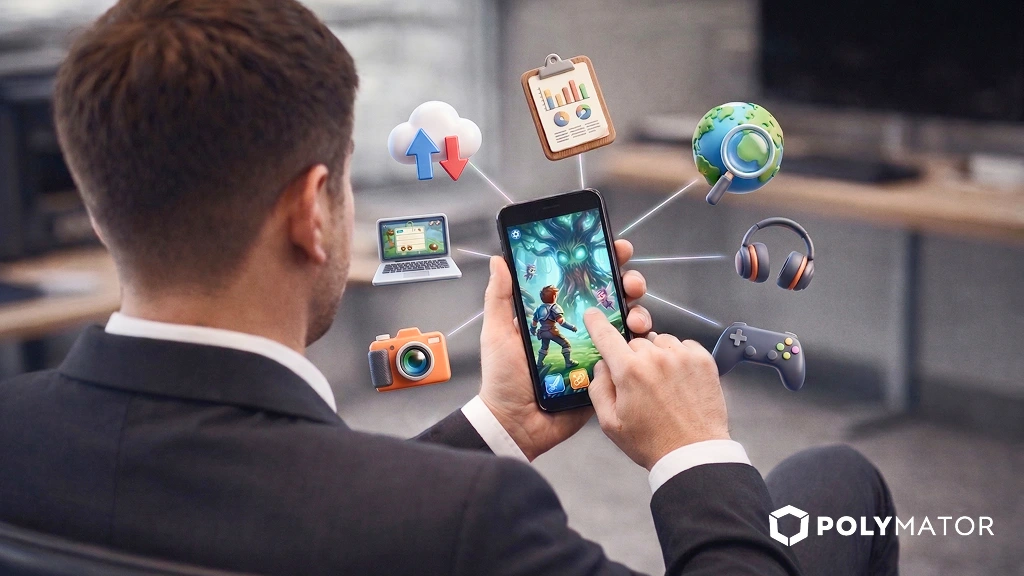
Create a successful Mobile Game in just 7 steps

Mobile Apps have skyrocketed in the last 8 odd years, and post-pandemic, people have started spending more time on their smartphones using different mobile applications and playing games. It has inspired and motivated gaming app developers to make mobile games to keep up with the mobile game market trends and demands.

There are numerous ways to make a mobile game app. However, following an incorrect pattern and process can lead to a shoot-up in game development costs and time. In this blog, we will walk you through 7 steps of successfully creating a mobile game app.

Steps of Creating a Successful Mobile Game App

Initial Planning

The foundation of any building, product, service, or app is its foundation, which involves solid initial planning by properly comprehending the concept, vision, and ideas for turning them into reality. Proper planning is necessary for game conceptualization, which can make or break your game.

The first step involves appropriate planning about what you “actually” want to develop. E.g., do you want to make a puzzle game, racing car/bike game, treasure hunt game, mafia game, or kid’s game?

To simplify this, you can jot down ideas to come up with unique ideas for gameplay, characters, environments, objects, animation, different art styles, and more that will make your game enthralling and electrifying to engage a mass audience.

Once you have decided on the game genre, sketch your game characters, environment, animation, objects, and vital elements. And describe in writing how you want your end game to look like. Ensure it is crisp, precise, and concise for better comprehension.

We recommend maintaining a journal or notepad to keep the mobile game ideas, vision, and concepts organized in one place for quick reference.

If you are still confused and need clarification regarding picking a game genre, we recommend referring to the blog from YouGov, on the list of the most popular categories of mobile games, with statistical data for better understanding.

Choosing the right mobile game development software

Once you have decided on the game genre and done initial planning, the next step is selecting the right mobile game development software. It is the make-or-break stage, as the correct mobile game development software will help you make astounding & stunning visuals.

It is the step that will decide the coding tools for your mobile game app to showcase your creativity and convert the concepts into reality. There are numerous mobile game development software available in the market.

Refer to our other blog on the best mobile game engines and development platforms in 2023 for your assistance. However, if you need clarification & guidance, feel free to contact us.

Programming Language

After selecting mobile game development software, the next step is to hire a mobile game app developer proficient with mobile game app programming language. You must also learn and be proactive with a programming language to be on the same page with mobile game developers.

At Polymator, we have highly qualified and skilled mobile game app developers who are well-versed in programming language and a wide variety of game libraries to take your game to the next level. Our Unity Game App developers will add an exquisite touch to your mobile game app.

Begin mobile game app development

The next step is starting your mobile game app development project. We recommend the following tips for keeping the process straightforward:

  • Begin with basic mechanics and rules of gameplay.
  • Design your game’s first level by implementing graphics and running tests
  • Finally, creating the mobile game interface in the form of screens, menus, options, settings, and more required elements.

The above three steps will simplify your game creation process and mitigate any complications.

Implementation of mobile game graphics

This step involves deciding on the game graphics, whether you want 2D or 3D graphics in your mobile game. After deciding on 2D & 3D, you must determine if you wish to do it in-house or outsource to a mobile game app development company.

We recommend using Photoshop for 2D Graphics, and for 3D graphics, we recommend Autodesk Maya and Autodesk 3Ds Max.

At Polymator, we use the best tools for creating 2D & 3D graphics, and our designers are well-versed with the tools and create immersive graphics. Hire mobile game app graphics designers from us and take your game graphics to the next level.

Boost your app gameplay

Once you have laid out your mobile game app, you must refine it to create an enthralling & spectacular end-user experience. The following are some common tweaks to boost your app gameplay:

  • Keep the controls easy to operate & intuitive.
  • Keep an interactive & engaging storyline to make users instantly connect with the gameplay & plot.
  • Creation of the required mood by adding suitable & appropriate music to make the gameplay enthralling & electrifying.
  • Ensure the visual elements of your game don’t pixelate
  • And most importantly, constantly runs tests to detect and fix bugs or errors.

Releasing game in the market

The final step involves releasing your mobile game in the market. The common mistake that mobile game app developers commit is spending more time & investing efforts to make the game more perfect, which can hamper the game.

Ensure to pay attention to testing & refinement for rapidly releasing the game in the market. Once the game is released, take feedback into consideration and work on it quickly to enhance the overall end-user experience with your game. Ensure to regularly release updates to keep your audience engaged with your game.

At Polymator, our game app developers will help you run final tests to ensure your game is ready for release. And we also consult top game app review companies to foster your game end-user experience.

Conclusion

After reading the blog, you will have firm clarity regarding how to successfully create a mobile game app in just 7 steps. By following the 7 steps mentioned in the blog, you can effortlessly develop your mobile game app by ensuring it has all the elements from proper planning to software selection to enthralling gameplay.

However, if you need more tips or have questions regarding mobile game app development or software, feel free to contact us.

At Polymator, we provide comprehensive mobile game app development services for both Android & iOS platforms. We have one of the most skilled and dexterous mobile game app developers who have immense expertise & knowledge in mobile game development and creation.

Outsource your mobile game development to us, and we will effortlessly develop your mobile game. You can utilize the saved time, resources, and cost in your core business activities. Contact us for a consultation and quotation for your mobile game app. And alternatively, you can email us your game requirements at contact@polymator.com.