A Comprehensive Guide to the Creation Process of 3D Character Modeling

If Environments are the backbone of the game, then Characters are the heart. Any game is incomplete and disastrous without proper character development and arc. Users identify themselves with the characters while playing the game and engage more with the gameplay because of them. Characters portraying real-life emotions garnered sympathy amongst users leading to mass attraction of the audience towards the game because of the creation of emotional attachment.

Hence, it is pivotal to pay meticulous attention to detail to create 3D Game Characters. In this blog, we will walk you through the basics and simplified process of creating 3D Characters for games. Also, we will guide you on how to make this process plain sailing with a 3D Modeling Company working with you to develop 3D Modeling Characters.

How does 3D Character Modeling work in Game Development?

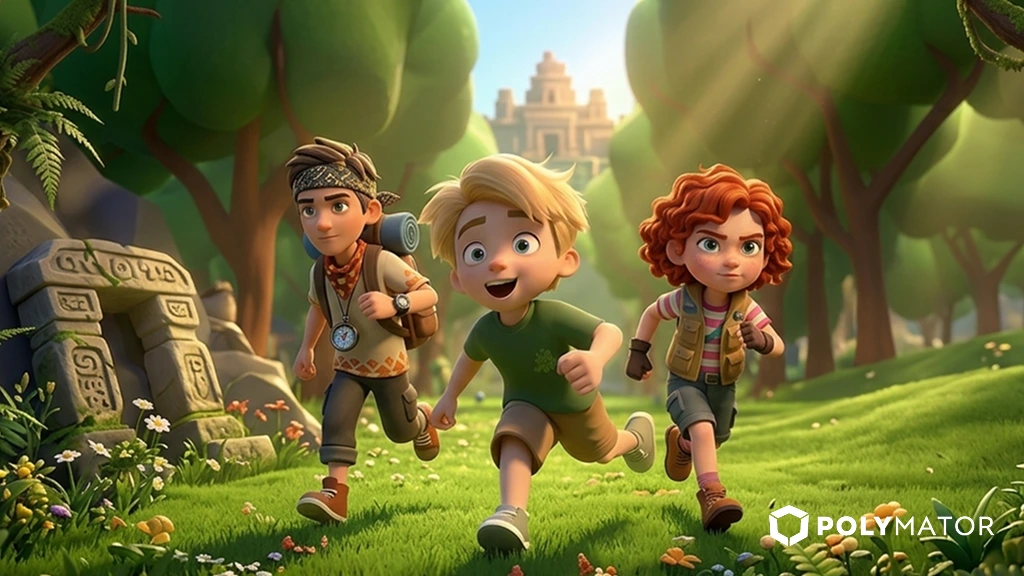
3D Character Modeling is a manifold process where a 3D Artist applies different tools & software to create game characters. A character can be a person, animal, mythical creature, robot, or devil. Also, a character can be the main (primary) protagonist/antagonist a player controls during gameplay. And secondary characters who act as supporting or have an individual impact on the game with which the player interacts.

The 3D Character creation process begins with creating a primitive form of characters. E.g., 3D Artists can make a cube or square shape, modify it using different tools & software, and further develop (edit) it in other programs to give the 3D Model a visioned form.

How to decide on 3D Game Character styles?

Generally, 3D Character Artists create 3D human models for primary & secondary characters. And character’s styles are ascertained based on the setting & goals of the game. However, there is no clear definition of it, but we highlight it in five salient playable character styles: cartoonish, life-like, creative, blocky, and abstract.

E.g., a cartoonish style signifies drawn characters similar to cartoons; a creative style implies quirky character designs such as an alien with a human topology or a combination of human and animal (mythological creature).

Step-by-Step Process for Creation of 3D Modeling Character

The initial planning phase of any project is integral, and it is crucial to get conversant with 3D Character Modeling Workflow to ensure the entire process is carried out smoothly and meets the game’s vision & concept. The following is a beginner-friendly 3D Character Model creation steps.

3D Character Concept

Before starting character creation, you must comprehend their story and connection with other characters, environments, and game plots. And accordingly, visualize the character. We recommend gathering as many references as possible to understand how you will create it. Also, please pay attention to the detail of their background to make a perfectly unique character.

3D Character Blocking

You can commence 3D Model creation by combining primitive shapes into the desired form of your character. E.g., you can use numerous cubical & cylindrical shapes and connect them as different elements of your character model. It will give a concise idea of how your character will appear.

3D Character Sculpting

You will have a smooth model without characteristics, features, and traits during sculpting. A 3D Artist creates them through a sculpting process, like clay modeling. E.g., A Sphere is used for the character’s eyes and making chin & cheekbones; a long cylinder is used for making a finger.

Creation of 3D Character Topology

A game character topology is the surface structure to ascertain 3D Character model visual characteristics. E.g., it is employed to make minute details, such as mouth, nose, eyes, and hair. The correct topology is needed to animate individual parts of the 3D model.

Customarily 3D model topology is created using Polygonal Modeling. As Polygons have numerous corners, it is crucial to select a shape allowing effortless editing & animating of individual character parts.

3D Character Model Rigging & Skinning

Rigging is the creation of a character skeleton, which is essential to animate the skeleton/bones individually in the future, thereby making a 3D human model move. Usually, software used to model characters & other game assets has ready-made skeleton samples.

Post Rigging process comes with Skinning, which involves the creation of Bipedal characters to secure the skeleton & model surface. At this stage, the skeleton becomes the character’s part and can move.

3D Character Rendering

In this process, the 3D Game Artist designs a scene for a 3D model via computer graphics & converts it into a 2D image. 3D Artists fine-tune image lighting, frame texture, and camera direction. The images are primarily used for promotional (advertising) purposes).

3D Character Model Animation

It is the most critical step in 3D Character creation, as 3D Character Artists animate characters’ body movements and make facial expressions to give life to characters. At Polymator, we use advanced tools & technologies to manipulate individual body parts and while working on facial expressions, movements, and gestures.

Conclusion

After reading the blog, you would have fully comprehended how 3D Character Modeling work in the Game Development process, how to decide on 3D Character styles, and the step-by-step process of creating 3D modeling character.

By following all the tips & points we mentioned in the blog, you can create fascinating and visually appealing 3D Gaming Characters to connect users deeply with your gaming characters.

At Polymator, we provide comprehensive 3D Game Art services that include 3D Characters Modeling, 3D Animation, and 3D Environments Modeling. We have dexterous and highly creative 3D Game Artists for hire, proficient in designing & creating enthralling 3D Characters Models and other 3D Game Art.

Contact us for a consultation and quotation for your game 3D Character creation & modeling. And alternatively, please email us your game requirements at contact@polymator.com.


Unity vs. Unreal: What to Choose for Your Game?

Game Engines are the foundation of creating video games, and when it comes to the selection of Game Engines, two top giants always make it difficult for game developers and clients – Unity and Unreal. They both include massive tools, plugins, libraries, and customization features to design fantastic entertaining games.

Both gaming engines are prominent for creating games that keep players hooked and keep them coming back to play more. Each game engine has its specific set of features to perform a particular set of tasks.

With the game development industry booming and cutting-edge software evolving consistently to create immersive gaming worlds, game development companies and developers need clarification about which gaming engine to pick from Unity or Unreal.

In this blog, we will walk you through the ultimate difference between both to clarify which one to choose.

What is Unity Engine?

It was launched by Unity Technologies in 2005 and initially designed for OS X Games. Nowadays, you can develop cross-platform games, 2D & 3D games with the Unity game engine. With its vast asset store, versatile tools, handy tutorials, online courses, and easy-to-learn language code, it is a top pick for developers worldwide. Unity has a huge community of developers of different expertise levels.

What is Unreal Engine?

It was created by Epic Games in 1988 and is renowned for its high-end graphics & photorealistic, which makes it possible to bring any game vision to life. It helps game developers implement any game idea into a playable advanced video game for various genres. Several successful games worldwide have been developed using Unreal.

Difference between Unity and Unreal in terms of critical factors

Versatility

As a game developer, you always want to choose a game engine that offers outstanding versatility, allowing you to work on multiple game types. Hence, many game developers look towards Unity and Unreal, as they provide flexibility for a wide range of games.

The following is the range of games that you can develop with Unreal and Unity, which will clarify which to choose according to your project suitability:

AR & VR Games

Both gaming engines can create enthralling immersive worlds and keep the players on the edge of their seats with their captivating gaming experience. However, Unity outperforms Unreal when it comes to AR & VR Projects.

Mobile Games

Hands Down! Unity is one of the top preferences for many game developers for mobile game development compared to Unreal because of its broad categories of tools, libraries, and features for creating fascinating mobile games.

2D & 3D Games

Both game engines offer significant capabilities to build premiere quality immersive graphics. However, Unreal is an ideal & optimal choice for 3D visuals, and Unity has a vast toolset for 2D Animation Production.

Multiplayer Games

You can create magnificent Multiplayer games with both game engines. However, Unreal has rich integrated support than Unity. You can use third-party frameworks along with Unity to develop Multiplayer games.

Coding

Both Unity & Unreal have a visual code editor. Unity has Prefab & Unity has Blueprint. In Unity, codes are written using C# language and C++ in Unreal. Unity uses C#, and Unreal uses C++. C# provides faster iteration & compile times.

In Unreal, you don’t require in-depth technical knowledge of codes or basic comprehension of writing them. Developers can develop games through tools in Blueprint, which are valid code pieces. You can make nodes & connect them in just a few steps to build game logic.

In Unity, beginners have the upper hand as it is straightforward to learn & utilize. It has a user-friendly interface & simple architecture. Programs in Unity inform users about incorrect code and issues.

Rendering

Rendering helps optimize post-processing game development. Hence, it is critical to select a top gaming engine. When it comes to quality & rendering speed, Unreal is better than Unity due to the industry-leading rendering speeds & supreme quality rendered graphics.

Graphics Quality

Unreal is undoubtedly the leader in terms of stellar graphics production. It has ready-to-use tools, which are customizable. Game artists can access volumetric lights, lenses, flares, proper lighting, and shadows with an aesthetically pleasing smooth falloff.

In Unity, you can achieve AAA-quality results, but it is time-consuming. It supports normal & occlusion maps, standing shading features, and base textures. However, it lacks shading details & advanced material editor, which is in Unreal.

Asset Store

Both gaming engines offer rich Asset stores allowing users to download free & paid shading, textures, props, and more. However, the Unity asset store offers countless assets, making it a grandiose asset bank for users. Unreal is more oriented towards completed game productions used previously in AAA games and offers superior visual quality.

Conclusion

After reading the blog, you will have clarity between both gaming engines in terms of critical factors. To summarize, Unity has a rich Asset store and faster iteration & compile time. Beginners can quickly learn & utilize Unity for game development. However, in terms of rendering & graphics quality, Unreal has a significant upper hand over Unity.

At Polymator, we offer Unity Game Development Services. We have a highly experienced & skilled game developers team ready to take up any project of different scales & complexity. Contact us for your mobile video game consultation and quotation. And alternatively, please email us your game requirements at contact@polymator.com.